
Readict -One Click Away Novels
VitalTek, Inc.Books & Reference
4.621.68K Reviews
- Version
- 5.9.2
- Installs
- 1.00M
- Age Rating
- Mature 17+
Screenshots

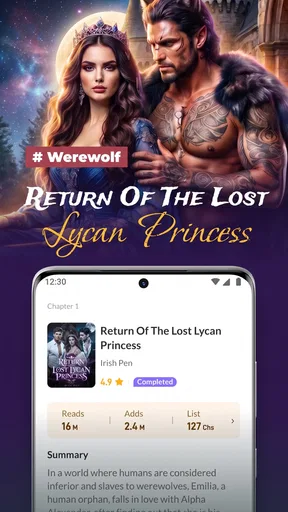
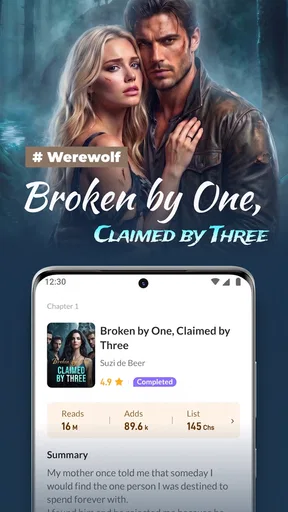





Our Review of Readict -One Click Away Novels
 Analysis by Appyee
I approached Readict -One Click Away Novels as a reader looking for something easy to open during spare moments, rather than as a replacement for a carefully curated digital library. It belongs to the Books & Reference category, and its central appeal is simple: a large selection of novels is placed close at hand, so I can move from browsing to reading without much ceremony. That convenience is also where the app’s personality becomes clear. It is designed for discovery and momentum, not for people who want a quiet, highly organized archive of books they already own.
After spending time with it, I found the experience most enjoyable when I treated it like a shelf of possible distractions. I could sample a story, decide whether its opening had enough pull, and move on without feeling committed. That makes it a good companion for short breaks, commuting, or late-night reading when I want fiction immediately. It is less convincing for readers who expect a traditional bookstore interface, extensive literary metadata, or a fully controlled reading environment.
Where the reading experience can become confusing
The first point of friction is not necessarily reading itself. It is deciding what deserves attention when a service presents thousands of novels. A broad catalog sounds generous, but abundance can turn into browsing fatigue. I found that the quickest way to get value was to judge a story by its opening pages and stop early when the tone, pacing, or writing style did not suit me. Trying to investigate every option wastes the very convenience the app is meant to provide.
That approach is especially useful for people who read in short sessions. If I have only ten minutes, I do not want to spend the whole break comparing titles. I prefer choosing one promising novel, reading enough to understand its rhythm, and returning later if it earns that return. This creates a practical habit: use the catalog for discovery, then let the reading experience—not the promotional wording around a title—decide whether it stays in rotation.
Another possible sticking point is expectation. The store summary emphasizes addictive novels, which suggests a fast-moving, entertainment-first experience. I would not approach this as a scholarly reference tool, a serious e-reader for imported documents, or a substitute for a subscription library built around famous publishers. Its strength is the immediacy of finding serial-style fiction and continuing with it. Readers who want broad genres but do not need a specific bestseller may be happier than readers arriving with one exact book in mind.
The mature age classification also matters before installation. The app is rated Mature 17+, so I would not choose it for a child’s reading device or assume that every story will be suitable for a younger household. Adults should still use their own judgment about themes and presentation. That rating does not tell me that every novel has the same tone, but it is a clear reason to consider the intended audience before handing the app to someone else.
Why casual readers may settle in quickly
For me, the strongest use case is the reader who wants a steady stream of fiction without planning a reading list in advance. I can open the app with no title in mind, explore until something catches my eye, and begin immediately. This is more spontaneous than managing a personal collection in a conventional e-reader, where the main challenge is often acquiring and organizing books before reading them.
It also works well as a backup for an interrupted routine. If I finish a book elsewhere and do not want to spend time researching the next one, Readict can fill that gap. I would keep my expectations focused on entertainment and discovery rather than assume that every selection will match my taste. That small adjustment makes the catalog feel more useful and prevents the common disappointment of expecting a carefully personalized bookshelf from a broad reading app.
Setup checks that prevent avoidable problems
Readict is a free app from VitalTek, Inc., and it supports devices running Android 6.0 or later. That makes it accessible on a wide range of Android hardware, but compatibility alone does not guarantee a smooth session. Before blaming the app for a loading or reading problem, I would check the basics: confirm that the device is using a supported system, make sure the app finished installing properly, and leave enough ordinary working space for the phone to behave normally.
I also recommend starting with a stable connection. A reading app may need to retrieve catalog or story content, and a weak connection can make a normal delay look like a broken feature. My practical test is simple: try opening a different title, then retry the original. If several books behave the same way, the issue is more likely related to connectivity or the device than to one particular story. If only one title struggles, I would avoid repeatedly tapping the screen and give the app a moment before starting over.
The current version is 5.9.2, so keeping the installation current is a sensible first check when the interface behaves differently from what I expect. Updates can also change small details in navigation, which means an older installation may not match current instructions or screenshots. I would update through the normal app store route, restart the app afterward, and test one book before changing several settings at once. That makes it easier to identify what actually helped.
Notifications and other device-level interruptions can also make reading feel unreliable. If a page seems to jump, a session ends unexpectedly, or the screen does not remain comfortable, I would inspect the phone’s battery, background activity, and display settings rather than assume the novel itself is at fault. These are general checks, but they are particularly worthwhile during long reading sessions, when a phone may reduce activity or dim the display to conserve power.
How I would prepare a first session
My preferred setup is deliberately modest. I install the app, open a few different kinds of novels, and choose one based on the opening rather than trying to build a complete library immediately. I then read long enough to decide whether the pacing works for me. If the first choice is not appealing, I switch quickly instead of forcing myself through it. The point is to learn how the catalog suits my taste, not to turn the first session into an administrative task.
I would also review the payment screen carefully before confirming anything. The app is free to download, but it includes in-app purchases ranging from $0.49 to $99.99 per item. That is a wide span, so I would treat any purchase prompt as a moment to pause, read the wording, and confirm what is being offered. Readers who want a completely no-cost experience should be especially attentive, use the device’s purchase protections, and avoid tapping through a prompt simply to return to a story.
This is one of the app’s most important practical trade-offs. Free access lowers the barrier to trying it, while optional purchases can introduce uncertainty for people who prefer a single, predictable payment model. I do not see that as an automatic reason to avoid the app, but I would not recommend handing the phone to a child or another user without first checking the account’s purchase safeguards.
Recovering a reading workflow when something goes wrong
When a session does not go as planned, I use a staged recovery process rather than immediately reinstalling. First, I close and reopen the app. Next, I test another title and check whether the connection is stable. If the problem affects the entire app, I restart the device and confirm that the installation is current. These steps are unglamorous, but they prevent a temporary network delay from becoming an unnecessary loss of time.
If the app opens but a particular story does not behave properly, I would leave that title, read another one, and return later. This is a useful workaround for a catalog-based service because it keeps the reading routine moving. I would also note exactly what happened: whether the screen stayed blank, whether the story stopped loading, or whether the app closed. Clear observations are more useful than repeatedly pressing the same control, especially when seeking help through the normal support route.
A reader can also recover from choice overload by creating a small personal rotation. I would select two or three novels with different moods—perhaps one fast-paced option, one slower story, and one backup—and stop browsing once that short list exists. This is not a formal feature claim; it is a way of using the catalog without allowing it to dominate the reading time. The benefit is surprisingly practical: I always have a next choice, but I do not spend every session searching.
Another helpful habit is to separate account or purchase concerns from reading concerns. If a payment prompt appears, I would handle it independently and then return to the book only after understanding what the prompt means. If reading is interrupted by a connection issue, I would troubleshoot the connection rather than changing account settings. Keeping those problems separate makes recovery clearer and reduces the chance of confirming something accidentally.
What to do before giving up on a title
Sometimes the app is working perfectly and the real problem is simply that a story is not a match. I used to interpret a slow start as a reason to keep searching for a technical explanation, but that is not productive with a large fiction catalog. If the writing style feels wrong, the pacing drags, or the subject is uncomfortable, moving to another novel is a legitimate solution. The app’s value lies partly in making that change easy.
I would give a title a fair opening, but I would not treat finishing every book as a duty. A discovery-focused reading service rewards selectiveness. This is also where the app differs from a small personal collection: with fewer alternatives, readers often persist because they have already invested in acquiring a book. Here, the cost of trying something else may be much lower, while the cost of staying with an unsuitable story is lost reading time.
When the app is not the cause
Not every disappointing session points to a software failure. A phone with an overloaded storage area, aggressive battery controls, unstable Wi-Fi, or an outdated operating system can make many apps feel unreliable. Because Readict runs on Android 6.0 and later, a supported device is only the starting point. I would compare its behavior with another app that needs a connection. If several services are slow, the wider device or network environment deserves attention first.
Screen comfort is another outside factor. Long reading sessions can become tiring because of brightness, font presentation, or the way a particular phone handles text—not necessarily because the app is malfunctioning. I would adjust the phone’s display, try a different reading posture, and avoid judging the entire service after one uncomfortable night. At the same time, readers with very specific accessibility requirements should test the experience personally before committing to it, because a broad novel catalog does not automatically guarantee a perfect fit for every reading need.
Expectations about ownership can also create confusion. I would not assume that discovering a novel in this app is the same as buying an individual ebook file for use in another reader. People who care about a permanent, portable collection may prefer a conventional ebook store or a library app with clearly defined lending and ownership arrangements. Readict makes more sense to me as an in-app reading destination, where the main benefit is access to stories through its own environment.
Likewise, readers searching for academic references, technical manuals, or a particular established title may be better served by a specialist reference app, a library catalog, or a mainstream ebook marketplace. The Books & Reference label is broad, but this product’s practical identity is fiction discovery. That distinction saves time: I would recommend it to someone who wants something new to read, not to someone looking for a precise research source.
How it compares with familiar alternatives
Compared with a standard ebook reader, Readict feels more spontaneous and less collection-centered. A traditional reader is usually better when I already have files or purchased books and want dependable organization around them. Readict is more attractive when I want the app to help me find the next story. The trade-off is control: a personal library gives me clearer ownership and curation, while this app gives me a larger field of possibilities with less preparation.
Compared with a public library app, it may appeal to readers who want immediate browsing without organizing a loan or waiting for availability. A library service is often the stronger choice for people who prioritize recognized titles, borrowing rules, and a structured catalog. Readict’s advantage is the feeling of an always-open fiction shelf; its weaker side is that readers who want a carefully filtered, institution-backed collection may find the experience less predictable.
Compared with subscription reading services, the free starting point is inviting, especially for someone unsure about committing to another monthly bill. However, the presence of in-app purchases means I would still pay attention to the cost structure instead of assuming that every part of the experience is unlimited at no charge. A subscription service may be easier for readers who want one clear recurring arrangement, while this app suits people who prefer to explore first and decide case by case.
My practical verdict after using it
Readict earns its place as a convenient fiction-discovery app rather than as an all-purpose digital library. Its 4.6 average from around 81 thousand ratings and more than a million installs suggest that many readers find the format appealing, and I can understand why: opening the app and finding a novel quickly is a satisfying low-effort routine. The developer, VitalTek, Inc., has positioned it for readers who want access and momentum more than elaborate preparation.
I would recommend it to adults who enjoy sampling novels, like discovering stories outside a fixed reading list, and can tolerate some browsing before finding a good match. It is especially useful for short daily reading sessions, travel downtime, and those moments when I want fiction immediately but do not want to decide which book to purchase next. The free entry point makes trying it easy, provided the user pays attention to purchase prompts.
I would skip it if my priority were a carefully managed collection of owned ebooks, academic reference material, children’s reading, or a completely predictable payment model. I would also be cautious if my device or connection is already struggling, because catalog browsing and story loading are not enjoyable when the phone is under pressure. In those cases, a library service, conventional ebook reader, or specialist reference tool may be a better fit.
My final advice is to start small: install it on a compatible Android device, use a stable connection, test several openings, and create a compact reading rotation instead of endlessly browsing. Keep purchase safeguards in mind, and separate genuine technical trouble from the simple fact that a particular novel is not for you. Used that way, Readict is a handy source of on-demand fiction, but its best feature is freedom to explore—not a promise that every story will suit every reader.
Verdict
Strengths of Readict -One Click Away Novels
- Large catalog of romance, fantasy, and drama stories
- Personalized recommendations help discover new novels
- Simple interface makes reading comfortable for beginners
- New chapters and stories are added regularly
- Offline reading is available for selected content
Limitations of Readict -One Click Away Novels
- Many stories require coins or in-app purchases to continue
- Frequent ads may interrupt the reading experience
- Story quality and editing can vary between authors
- Some chapters may end on abrupt cliffhangers
- Offline access may be limited for certain novels
Other Releases by VitalTek, Inc.
View All
Fictify: Romace Novels&Stories
Books & Reference4.7

Readict Fiction
Books & Reference4.7
Similar Picks in This Category
View All
Google Play Books & Audiobooks
Google LLC4.7

네이버 - NAVER
NAVER Corp.3.5

Wattpad - Read & Write Stories
Wattpad.com3.7

King James Bible - Verse+Audio
Ozion4.8

Bible Offline-KJV Holy Bible
Bíblia Offline4.9

Amazon Kindle: Reading App
Amazon Mobile LLC4.8
Frequently Asked Questions
What is Readict - One Click Away Novels?
Readict is a mobile reading app focused on serialized novels and fiction stories. After installing it, readers can browse different genres, open a title, and continue reading chapter by chapter. The catalog generally includes romance, fantasy, drama, mystery, and other popular categories, making it suitable for users who enjoy discovering new stories rather than purchasing individual printed books.
Is Readict free to download and use?
Readict can usually be downloaded for free, allowing users to explore the library and begin reading selected content without an upfront purchase. However, access may vary between stories and chapters. Some features or additional chapters can require in-app purchases, credits, advertisements, or a subscription, so it is worth checking the pricing details shown inside the app before spending money.
Does Readict require an internet connection?
An internet connection is normally needed to download the app, browse available novels, synchronize your reading progress, and load new chapters. Depending on the title and the app’s current features, some chapters may be available for offline reading after they have been downloaded. Users who plan to read while traveling should test offline access beforehand rather than assuming every novel works without connectivity.
What types of books and stories are available on Readict?
Readict is mainly designed for readers who enjoy digital fiction, especially ongoing and serialized novels. Its selection may include romance, contemporary drama, fantasy, paranormal stories, suspense, mystery, and other genre-based fiction. The exact catalog can change over time, and story quality, length, and update frequency may differ, so browsing descriptions, ratings, and sample chapters is recommended before committing to a title.
Are there age restrictions or content considerations on Readict?
Some novels on Readict may contain mature themes, strong romantic situations, violence, emotional conflict, or other content that is not appropriate for younger readers. Availability and labeling can vary by story and region. Parents should review the app’s age rating and supervise younger users, while adult readers should check each novel’s description and warnings before starting a series.
